

Why the Highpoint Rocket 2720SGL?
The Rocket 2720 SGL is an ideal SAS / SATA controller to use with VMware ESXi, it is a cost-effective, high-performance PCI-Express 2.0 6GB/s SAS controller. The 2720SGL supports up 8x SATA3 6gbs hard drives and is compatible with large drives above 3TB in size, prefect to use if your not after RAID and wish to use something like Windows Storage Spaces for example, or simply connect a lot of hard drives to a Virtual Machine and have off site backups. I personally dont feel i need a raid setup at home, however i shall leave my reasoning for that to another blog post.
When purchasing the card i was unsure if it work when passed through to a virtual machine running on VMware ESXi, however i can confirm the Rocket 2720SGL works perfectly when passed through to a VMware ESXi virtual machine. ESXi recognises the card as a Marvell 88SE9480 SAS / SATA 6Gb/s RAID controller. However despite this please keep in mind the Rocket 2720SGL is not directly usable in ESXi, it can only be utilised when passedthrough to a Virtual Machine.
My ESXi setup consists of Gigabyte GA-Z77N-WIFI motherboard and an Intel CPU Core i7 3770T Quad Core IvyBridge Processor running VMware ESXi 5.5 (also worked perfectly on ESXi 5.1 too). If you wish to findout more about my ESXi setup please read: VMware ESXI Low Power Home Server Lab Build
I purchase my Highpoint Rocket 2720SGL from Scan.co.uk who appear to be one of the few retailers in the UK who sell this particular card.
Configuring VMware ESXi Passthrough on the Rocket 2720SGL:
In the vSphere client under the Configuration tab you must select Advanced Settings and mark the PCI device as passthrough enabled
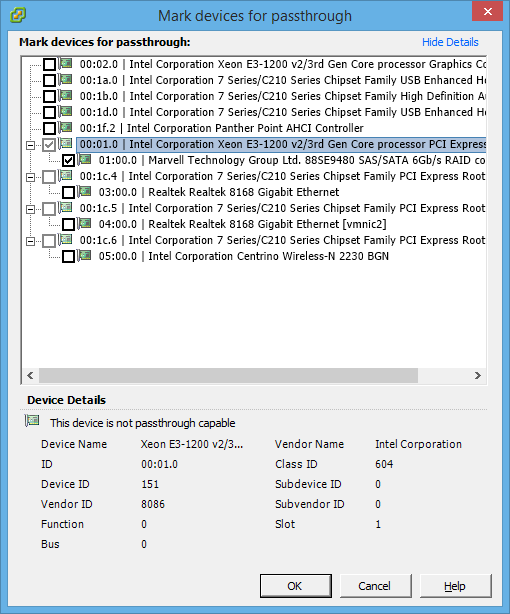
Once the Rocket 2720SGL was enabled for passthrough i assigned it to my Windows Server 2012 R2 Virtual Machine:
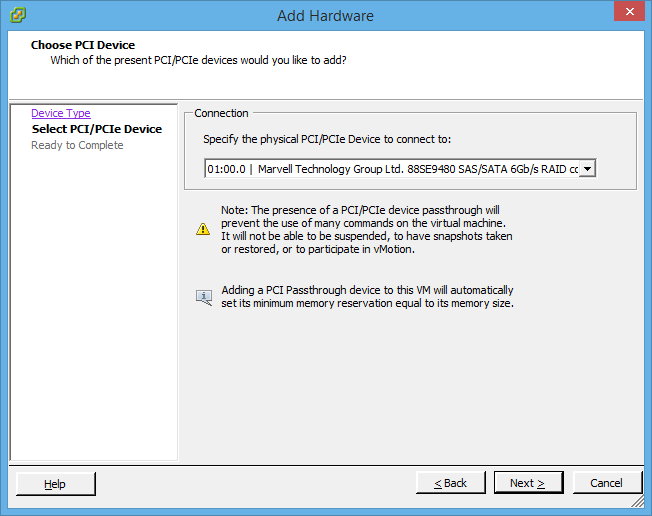
The Rocket 2720SGL assigned to the Virtual Machine:

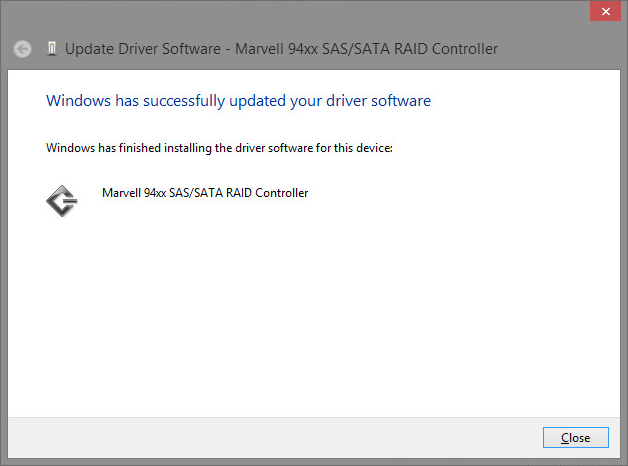
Installing the drivers for the Rocket 2720SGL on Windows Server 2012 R2:
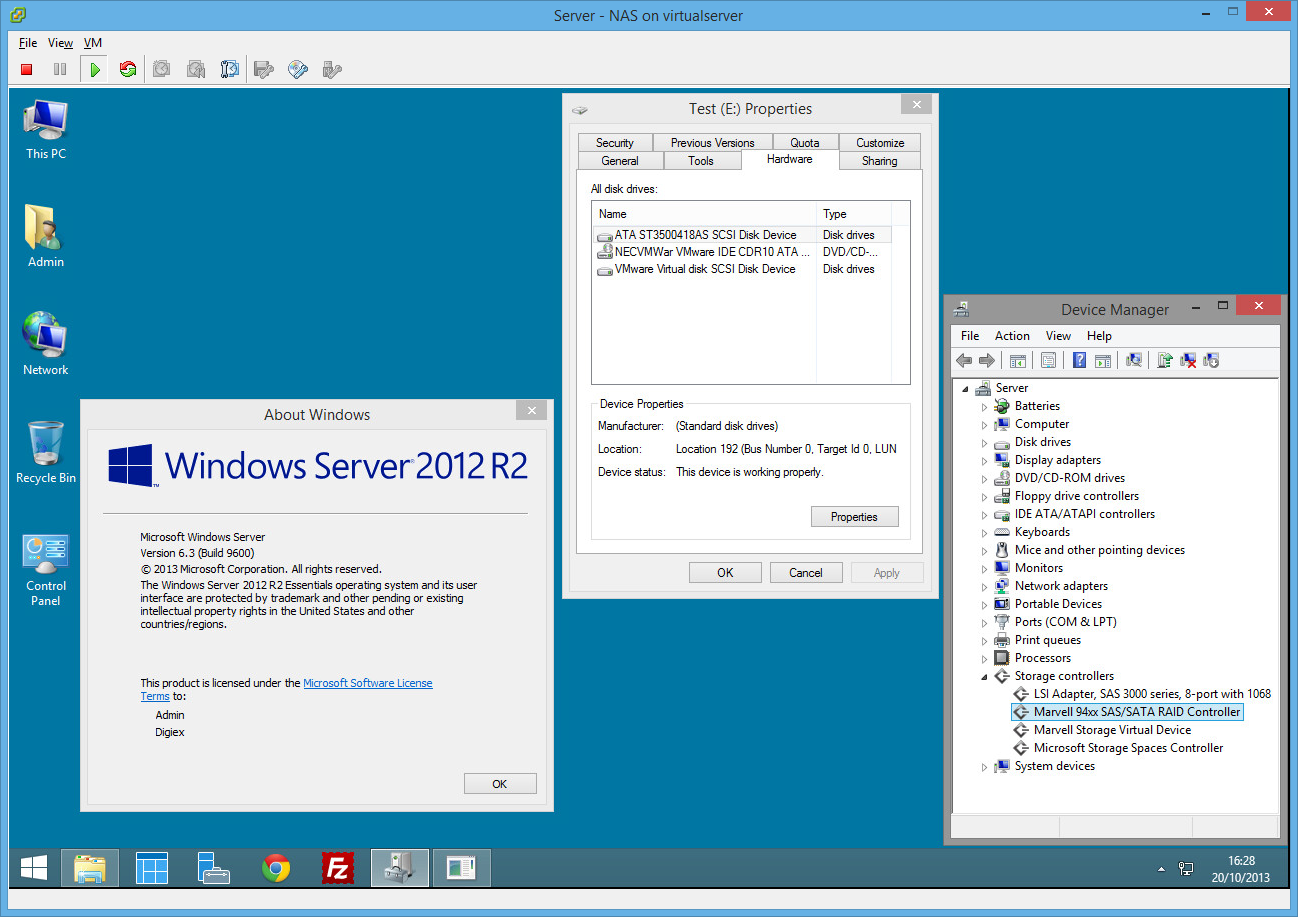
A screenshot showing the Virtual Machine has access to a real SATA hard drive:
In conclusion the Rocket 2720SGL certainly works very well on my ESXi home lab setup when passed through to a Virtual Machine. At just over £100 with support for 8x SATA 3 6Gb/s drives i dont think you could ask for more. Perfect for use in my new 8x bay case that i have recently moved my ESXi server in to. I will be posting a blog up on that shortly, if you have any questions i shall do my best to try help.
Further information:
To answer a couple of questions in the comments, although ESXi recognises this as a Marvell 88SE9480 SAS / SATA 6Gb/s RAID controller, you can not directly make use of the card in ESXi. ESXi will not see the Rocket 2720SGL or any of the drives attached to it. I have had a look around on the internet and no drivers appear to exist to use the Rocket 2720SGL directly in ESXi.
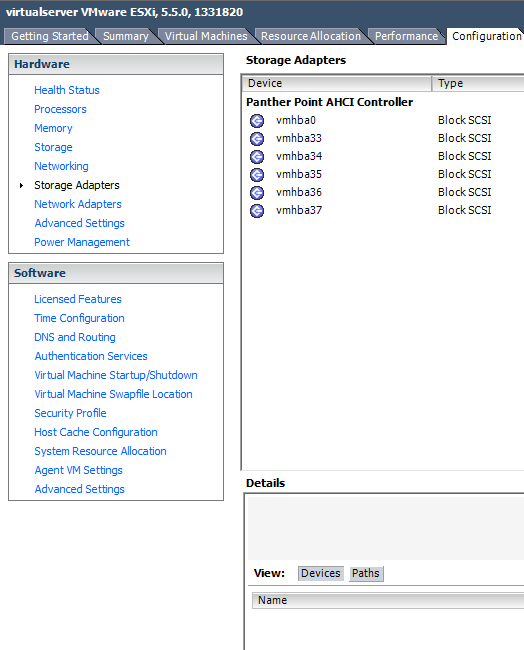
The Rocket 2720SGL will only show up as a PCI device which can be passed through to a virtual machine, when passed through to a VM it does however work great.
The Rocket 2720SGL is also not detected by FreeNAS 9.1.1 out the box.
