
If you had told me at the start of 2025 I’d have moved my main PC over to Linux by the end of the year I don’t think I’d have believed you… however here we are.
I’ve been on a bit of a privacy journey in 2025, swapping out various things for more privacy focused alternatives. That’s going a bit off topic though, lets just say Windows was a casualty of this journey.
I’ve actually been impressed how smoothly my transition over to Linux went, so thought i’d share my experience as someone who’s pretty much used Windows every day since our family first got a PC in 1998.
That said I have dabbled with Linux over the years, the first time I ever remember using it was via a Mandrake Live CD in 2004. I did think it was amazing an entire OS could boot from a CD.
I did also install Gentoox on my original Xbox, mainly as it seemed like a cool project to the teenage me, however trying to use a desktop OS on a CRT TV was far from ideal from what I remember.
Since then I have used Ubuntu Server for various personal projects for over the last decade and have various single purpose devices running some form of Linux, such as LibreELEC on the HTPC and UnRaid on my home NAS / Server. So its probably fair to say I have a general understanding of Linux. Enough to be dangerous anyway, not an expert by any means though!
So what Linux distribution did I choose?
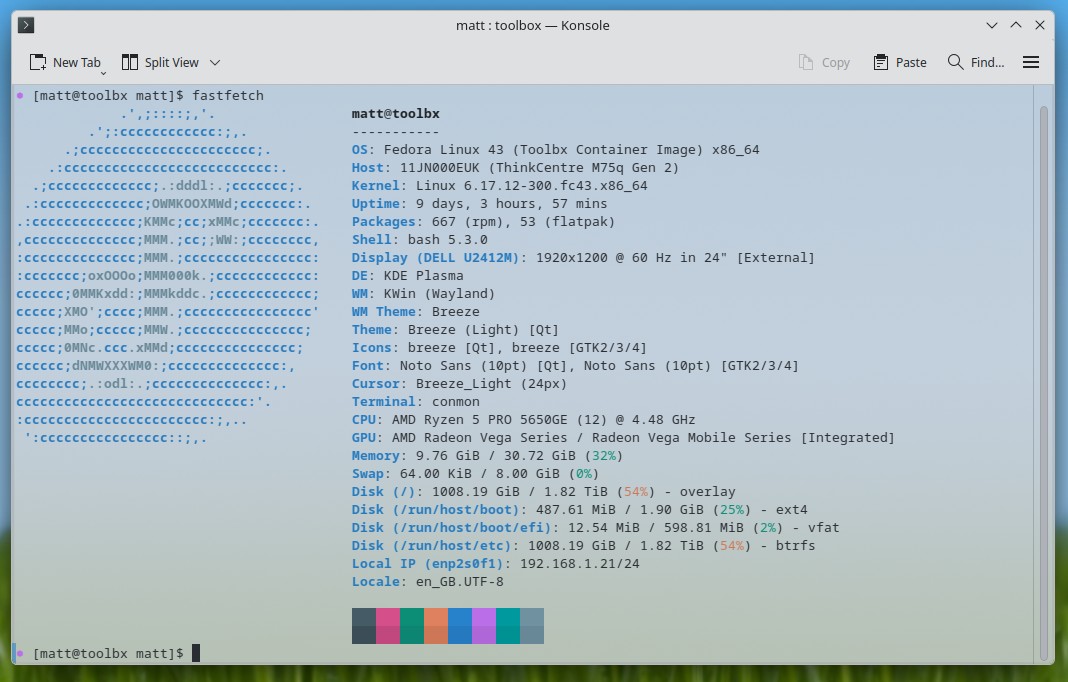
I ended up deciding on Fedora Kinoite as I liked the idea of atomic distributions. This essentially means the entire system is updated to the latest base image and can’t be modified by the user as its read only. Similar to an Android device. If something goes wrong with an upgrade you still have a copy of the previous base image, so it would be very difficult to totally break your install.
To me this seemed ideal both from a usability standpoint and a security standpoint.
This means any programs you install have to be Flatpacks. These are essentially containerised applications. Anything remotely popular seems to be available on Flathub.
You can still use cli tools not available on Flathub though via toolbox, essentially you have a small container that works like a traditional Fedora install. For example you could run “sudo dnf install ffmpeg” then use these cli tools like you would on a traditional Linux distribution from the Terminal.
I do feel this is the best of both worlds, you could install packages to your hearts content. Then remove the toolbox at a later date like nothing happened. Your base Fedora install has not changed at all.
What has impressed me about Fedora Kinoite?
Secureboot – This just works, if Secureboot is enabled in the BIOS then Fedora Kinoite will just boot. You can confirm this in the terminal with: mokutil –sb-state
This should print “SecureBoot enabled” all been well.
Bitlocker – I backed up all my data from Windows 11 to a Bitlocker encrypted hard drive, which after doing so I realised was probably a mistake, thinking I wouldn’t be able to access this data at all on Linux. However I was really impressed when connecting the drive, KDE just asked for the password, decrypted and mounted the drive, the same as if I was on Windows. I really did not expect that to be so easy!
Search – Searching in the Application Launcher (Start Menu) returns results instantly. In addition the results are relevant as I’m only searching what is already installed on my PC. No need to send a query off to Bing so Microsoft can log what I’ve searched for in the start menu and show me irrelevant web results.
Over the last couple of months I’d randomly found searching the start menu on Windows 11 to outright not work the first time for some reason. Yet the second time I searched I got the result I was looking for. It’s a small thing, however I never truly realised how bad search was on Windows 11 until I actually used Fedora full time day to day.
Customisation / Tweaks – I like that I can customise every little thing in the desktop environment. My layout is an almost stock KDE, as the defaults work well for me. I have made the Task Manager (Task Bar) not float though and a few other misc tweaks like that. Its just nice been able to tweak anything without requiring any plug-ins. I have seen they are some very impressive themes for KDE out there too. I plan just to keep things stock in the near future though.
Flathub – This is where anything you install will come from. A lot of programs I’ve used for decades on Windows such as FileZilla and VLC are available here, its nice everything is just updated automatically from one central location.
I’ve actually discovered some other interesting open-source projects just browsing though the featured apps and games on Flathub too.
I think some alternatives to Windows apps I was using would be better in another blog post. I do like some of the built in KDE apps such as KRDC though.
Everything just works – All my hardware has just worked out the box. Including random usb hardware I’ve since connected. I understand Linux can have issues with Nvidia GPU’s, however my day to day PC has an AMD processor with an integrated AMD GPU, so this hasn’t been an issue.
In addition I can add an OpenVPN or Wireguard VPN connection natively, no need to install any addition software.
Any issues? – So far the only issue I’ve encountered is I can’t connect to my PC remotely via RDP. When I connect I just get a blank screen. From a quick search online this seems to be a bug with KDE / Fedora from what i gather. Its not the end of the world as I don’t need to RDP in to my PC that frequently. It is sometimes handy to be able to use WOL to wake it up then RDP to it remotely from the Laptop though.
Final thoughts
I’ve used Fedora Kinoite exclusively for around two weeks now, the experience has been really good. After a couple of days I never really noticed I was using Linux and not Windows. I was just using my PC as i normally would do. I even managed to get one or two Windows tools that don’t have a Linux alternative working via Wine.
This post ended up a little longer than intended, however I’ve got a few ideas for future Linux / privacy related blog posts, so hopefully this will encourage me to post another blog in the near future.