

But Is Smart Launcher a good alternative to Nova Launcher?
Nova Launcher is one of the most popular launchers on Android with over 100 million downloads since 2011. I started using Nova Launcher sometime in 2012 on my Galaxy Nexus, brining my configuration over to newer Android devices I’ve owned ever since.
Nova Launcher was sold to Branch Metrics in 2022. This seemed far from ideal for a launcher that will always be running on your device, given Branch’s business model revolves around “analytics, attribution and user engagement measurement”. Nova however ended up pretty much abandoned under Branches ownership.
As of 2026 Nova has been sold yet again to Instabridge, gaining even more trackers bundled with the launcher. When scanned with εxodus, a privacy audit platform for Android applications the trackers included with Nova Launcher include:
- AppLovin (MAX and SparkLabs)
- Branch
- Bugsnag
- Facebook Ads
- Google AdMob
- Google CrashLytics
- Google Firebase Analytics
- IronSource
Some are legitimate from a development point of view, such as Google CrashLytics and Google Firebase Analytics. However for me personally I felt it was time to move on to a new launcher as I don’t feel something running all the time on my phone should have all these trackers embedded.
Enter Smart Launcher, which only has trackers for Google CrashLytics and Firebase, which seems to be standard for debugging most Android applications. Someone had casually mentioned on Reddit that Smart Launcher could import a backup from Nova Launcher, this appealed as my Nova setup had been refined over the years since 2012, so I didn’t want to drastically change how I use my phone. This gave me the confidence Smart Launcher could be configured to work in a similar way to Nova Launcher.
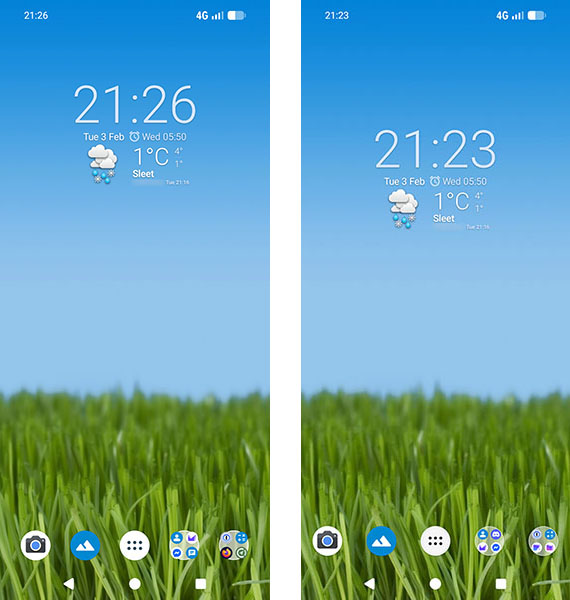
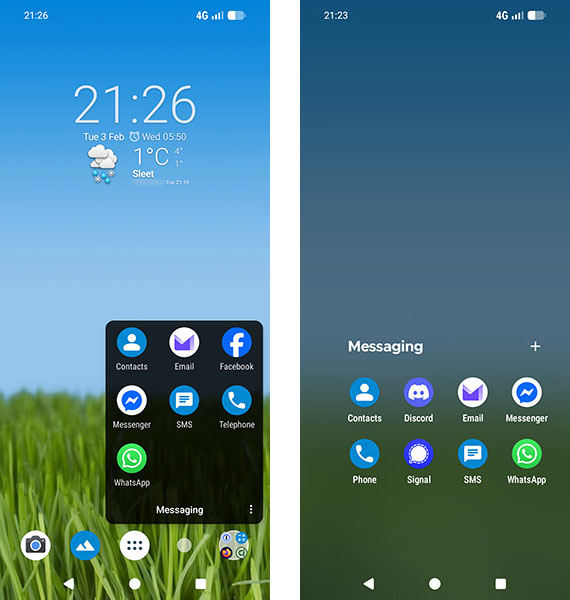
Overall I was impressed with the result and have found Smart Launcher to be a worthwhile replacement for Nova Launcher. I’ve created a few comparison screenshots below for you to compare yourself:
Home screen – Nova is on the left, Smart Launcher is on the right:
Folder on the home screen – Nova is on the left, Smart Launcher is on the right:
App draw – Nova is on the left, Smart Launcher is on the right:
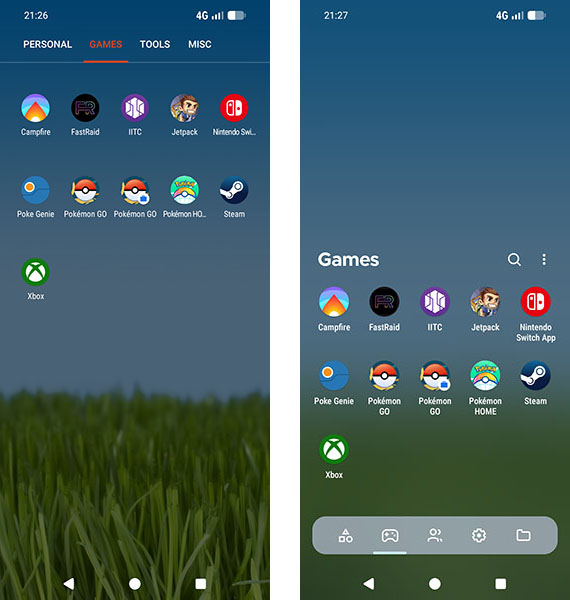
As you can see Smart Launcher can import your Nova Launcher backup pretty well, the end result is very comparable. Its worth mentioning I had to manually group the apps in the app draw again on Smart Launcher, however my home screen layout was imported perfectly from Nova Launcher.
I do quite like the dock like categories in the app draw on Smart Launcher, along with the glass effect on my background. I’ve managed to replicate a familiar setup I’m happy with, which even looks and feels a little more modern at the same time.
I can certainly recommend Smart Launcher as a good alternative to Nova Launcher having used it for around a week now.
